Welcome to spyn. Here is what you can do to play more
Screen explanations below
1. Your Profile
View / modify profile information and sports you play.
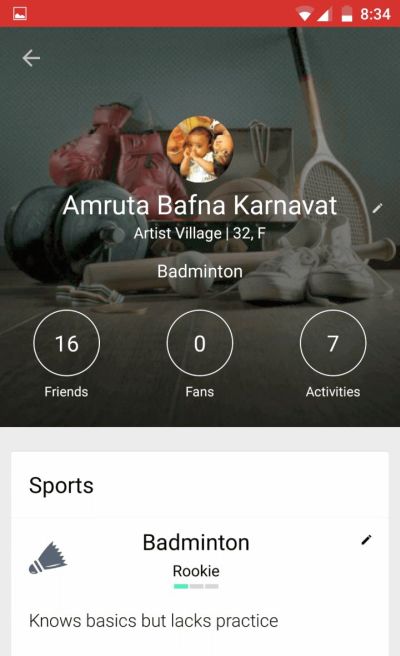
Change your profile pic, name, location, age, mobile number, etc.
Add sports you play and your skill level so that compatible players can find you.
2. Homepage
View snapshot of your favorite sports. Navigate to other parts of the app.
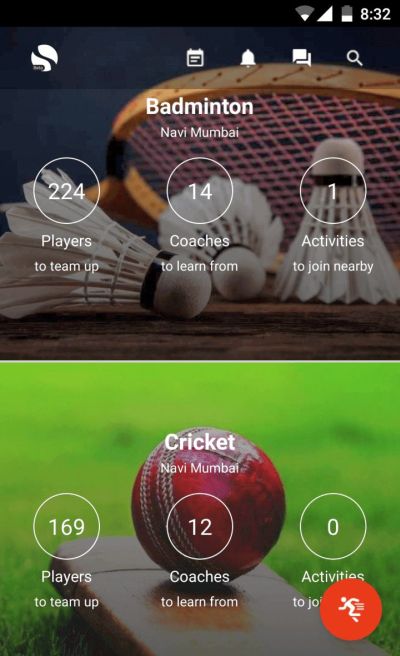
View your upcoming/past sports activities. Add/view match results (currently for 1-1 activities only).
Chat with players and coaches
Create Activity to
invite players & get confirmations,
track activities you played &
keep scores (currently, you can add winners for 1-1 activities)
3. Create Activity
Declare the what, when, where of your activity and select players to invite.
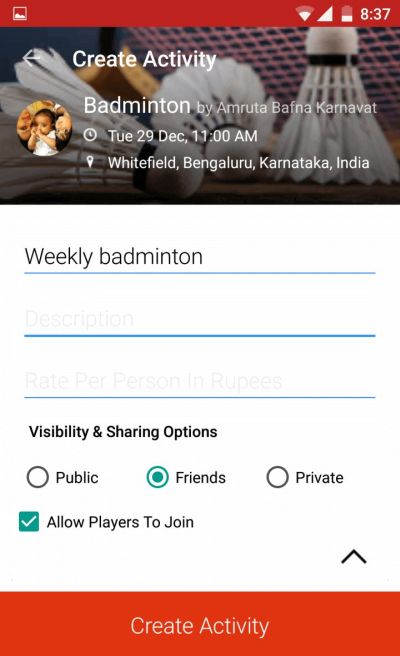
Activity summary.
Activity title and description (for details, instructions, etc).
Activity will be visible to players as per your choice.
You can allow / restrain other (uninvited) players from joining this activity.
4. My Activities
View / modify your future commitments. View past activities and scores.
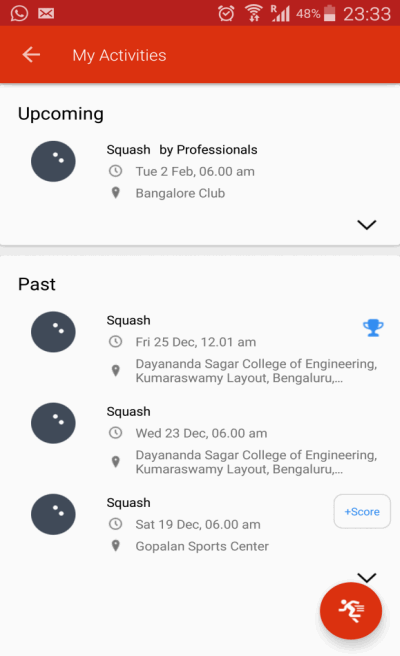
View your upcoming activities and invitations.
View your past activities.
Trophy next to activity indicates you won this match-up.
Add scores (results) of matches. Once you add a result, it will be verified with your partner player. Currently available only for 1-1 matches.
5. Search
Find the right players, coaches and clubs. Explore activities you can join.
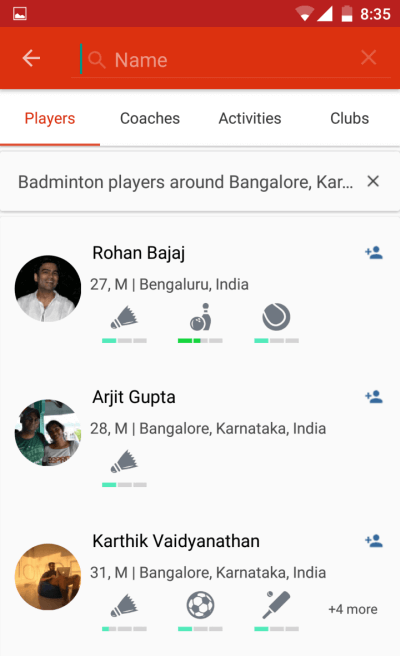
Find players, coaches, activities and clubs.
Filter settings – by sport and by location.
Add as friend (so you can easily invite them to your activities).
6. Player Profile
See player details and connect with them to play more
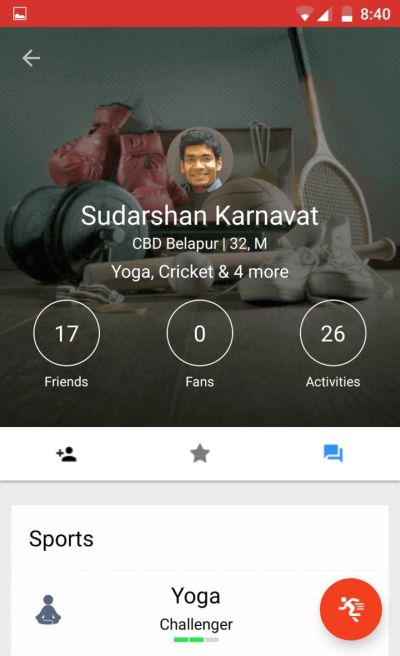
Add as friend to easily invite him to sports activities. Also, friends receive updates on your activities when shared with them.
Add as fan if you like their game.
Chat with them to play more